
Your online Monthly Plan For Success (PFS) Document provides us with the information we need to log your income (i.e. Member fees) and expenses (i.e. Franchise Fees) for membership in your group.
- View your attendance page (Through OurWorld)
This usually brings the highest amount of income and expenses when running your group.

VERY Important:
- Do not send MalgraBooks your username/password to access the Our World platform. This is a breach of your account and we will delete any such information immediately
- Do not send your weekly group summaries unless requested as they contain personal information on your members which we do not need.
- Sundries will be always calculated within our systems as expenses as is standard with most accounting software. If there are any calculations within your expenses (see here), please let our team know the correct values or update your income table with the relevant information to show the correct balance.
How to save a copy of your PFS Document #
Using your computer
- Ensure you’re using Google Chrome browser (or one which prints to PDF)
- Login to OurWorld and go to your monthly summary screen (shown above)
- Once on the appropriate month and group, and you can see the full summary page, press CTRL + P
- Choose ‘Save as PDF’ as the destination
- Press ‘Save’ and when prompted, rename as the month and date for the summary
- Upload the PDF to us through your Client Portal or by email
How to upload #
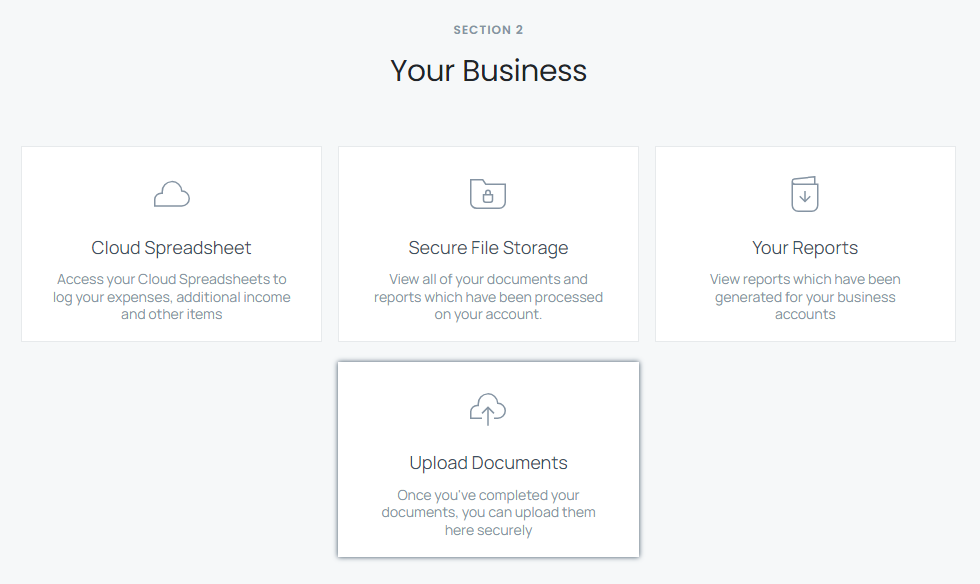
Once you’ve downloaded your files, head to your Business Cloud Portal and locate the ‘Upload Documents’ option
A simple form will appear to allow you to upload documents from your device to our systems. You can select up to 12 files at a time to upload using this tool, with a maximum overall file size of 25MB.
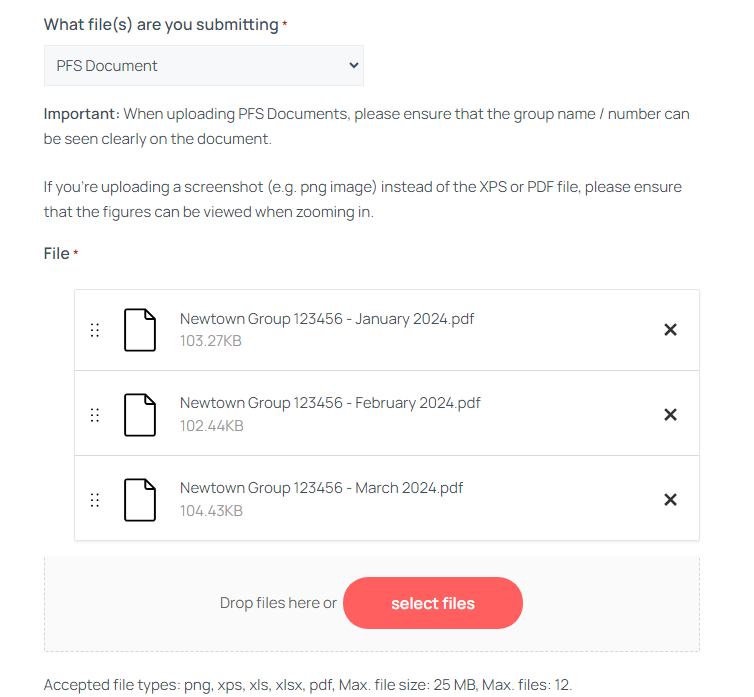
We only accept the following file types:
- PNG: These are usually images or screenshots, we recommend using PDF documents instead due to the increased picture quality
- XLS / XLSX: Microsoft Excel Files
- PDF: Standard for documents
Once you’ve selected the files to upload, click ‘Submit Documents’ at the bottom of the form. If you have any queries, please don’t hesitate to contact our friendly team.


