
Legacy packages that were previously available through Malgra Plus can now be found in the Cloud Accounts section of your dashboard.
Note: If you’ve forgotten your password, you can reset it directly on the website.
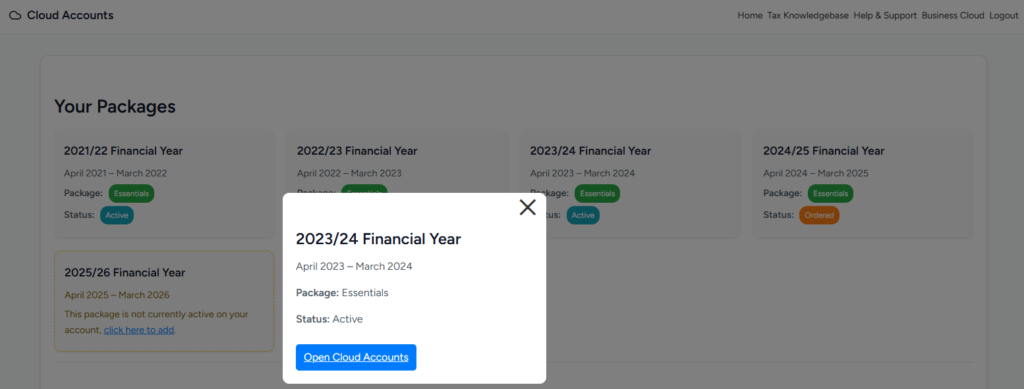
The Cloud Accounts screen brings all your packages together in one place, making it easy to navigate and quickly access your business information.
To get started, simply select Cloud Accounts from the main navigation menu.

The boxes show any packages which you have with MalgraBooks and their status is shown underneath any applicable service.
| Status | Description |
|---|---|
| Active | This package is active on your account |
| Ordered | You’ve ordered this package and the cloud accounts are currently being generated. The system will email you once ready. |
| Cancelled | Your package has been cancelled |
To access your cloud accounts, click on any box to view a link to your cloud accounts spreadsheet.
How long will I have access to these? #
When a package ends, the data is held only for a limited amount of time. We recommend downloading any documents or files you may need.


