
Bookkeeping and Making Tax Digital (MTD) for self-employed fitness and class instructors
You open up the hall, set out the mats, take the money at the door, teach, then pack the speaker back in the car and do it all again across town. Pulse keeps your takings, hall hire and miles for every class in one place, and sends your Making Tax Digital updates to HMRC.
- Record the takings and hall hire for every class
- Log the miles between halls on your phone
- Send your quarterly updates and tax return straight to HMRC
Kerry’s Wednesday
£7 a head-
Leaves home9:00am
-
Pilates, St Mark’s church hall12 people, cash and card. Hall hire £20£843.0 miles from home
-
Baby yoga, Parkside community centre10 people, paid by card. Hall hire £18£704.5 miles
-
Home for the afternoon1:30pm3.5 miles
-
Zumba, Hollins scout hut15 people, mostly cash. Hall hire £25£1055.0 miles from home
-
Back home8:30pm5.0 miles
When Making Tax Digital starts for you
Making Tax Digital for Income Tax means keeping your records digitally and sending HMRC a short update every three months, then a final declaration after the tax year ends. Whether you're in depends on your turnover, the total you charge your customers before any expenses, not your profit.
- From 6 April 2026Over £50,000Already started
- From 6 April 2027Over £30,000Based on your 2025/26 tax return
- From 6 April 2028Over £20,000Based on your 2026/27 tax return
An example. You run 10 classes a week, with an average of 12 people paying £7. That’s £840 a week. Over 46 weeks it comes to £38,640 of turnover. Making Tax Digital looks at your turnover before any costs, so the hall hire doesn’t bring that number down. If your 2025/26 tax return shows that, you’ll need to use Making Tax Digital from 6 April 2027.
The quarterly updates are due by 7 August, 7 November, 7 February and 7 May. If you have other self-employed work or rent out a property, that income counts towards the total too. When do I need to start?
Running classes in a rented hall
Hall hire is usually your biggest cost, and it’s a regular, claimable business expense. It doesn’t matter if you pay every week, by the month or for a whole term up front. Ask the hall for a receipt or invoice each time, and record the full amount.
The mistake we see most is paying the hall in cash from the night’s takings and only recording what’s left. Put the full takings in as income and the hall hire in as an expense. The profit comes out the same, but your turnover is right, and that’s the figure HMRC uses for Making Tax Digital.
Money at the door is income whether it’s cash, card or a bank transfer from someone who booked ahead. A total for each class is fine, as long as it matches what you took. Card machine fees are a cost you can claim.
If you run your business from home and teach at different halls through the week, the drive from home to each hall and back is usually business travel. If you teach in one place every day, for example the same studio Monday to Friday, that can look more like ordinary commuting. Ask us if you’re not sure.
Read more about venue rent, card payment charges and cars, vans and mileage.
| Pilates at St Mark’s | Amount |
|---|---|
| Takings, 12 people at £7 | £84.00 |
| Hall hire | £20.00 |
| 3 miles from home at 55p | £1.65 |
| Profit from the class | £62.35 |
For a car or van in 2026/27 you can claim 55p a mile for the first 10,000 business miles and 25p after that. If you claim mileage for a car, you can’t also claim its fuel or running costs.
What you can claim as a fitness or class instructor
Every allowable expense brings down the profit you pay tax and National Insurance on. These are the ones instructors claim most. Keep the receipt for each, or scan it into Pulse.
Hall and studio hire
Church halls, community centres, scout huts and studios, paid weekly, monthly or by the term. Venue rent
Phone and broadband
The business share of your mobile and internet, for bookings, class messages and your playlists. Phone and broadband
Insurance
Public liability and professional indemnity cover. Many halls ask to see it before they’ll take your booking.
Training and CPD
Courses that keep your skills up to date or add to the classes you already run. The course you took to qualify before you started usually isn’t. Training costs
Equipment
Mats, weights, bands, steps, a speaker and a headset mic. Bigger items may need to go in as a capital allowance.
Card machine fees
Fees charged by SumUp, Square and similar on card payments at the door. Card payment charges
Advertising and bookings
Flyers, a local Facebook ad, a simple website or a class booking app. Marketing costs
Planning at home
If you spend 25 hours or more a month at home on admin and planning classes, you can claim a flat rate of £10 to £26 a month. Simplified expenses
What you can’t claim
- Gym kit, leggings and trainers, even if you only wear them to teach
- Your own gym membership to keep yourself fit
- Parking and speeding fines
For the full list, see Allowable expenses, what are they?
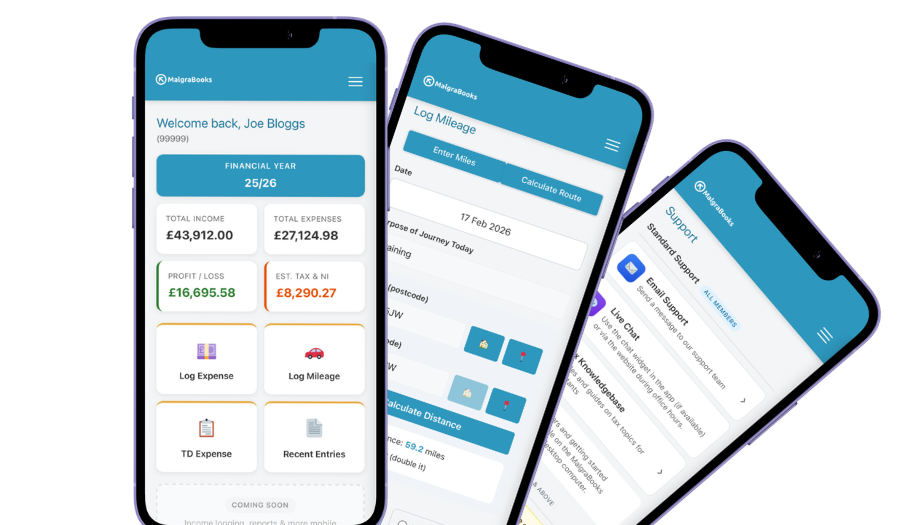
Access your accounts on your mobile
Designed for iPhone and Android phones, so you can add a payment, log a journey or scan a receipt between jobs, and check your reports and tax as you go.
See the mobile appHow Pulse helps
Pulse is our online bookkeeping system, with apps for iPhone and Android. It was first built for Slimming World consultants, who run weekly groups in rented halls, so it already fits a week of classes. Here’s what instructors use most.
Miles between halls
Enter postcodes or use your location, and Pulse works out the miles. Save each hall in your address book so logging the week’s journeys takes seconds.
Address bookHall hire remembered
Add each hall booking as a recurring expense, along with your insurance. Pulse asks you to confirm each one when it’s due.
Recurring expensesScan your receipts
Take a photo of the hall receipt or the new set of bands in the app and it’s saved against the expense, so nothing gets lost in your kit bag.
Receipt scannerGet paid for a block
Selling a six-week course or a term of classes? Add your Stripe, SumUp or PayPal.Me link and a Pay online button appears on your invoices. The money goes straight to you, and part payments are tracked.
Online paymentsRecurring invoices
If a location books you every week, set them up once and Pulse creates their invoice weekly, every four weeks or monthly. Send it automatically or check it first.
Recurring invoicesStraight to HMRC
Pulse is recognised by HMRC for Making Tax Digital. Send your quarterly updates from Pulse, and your tax return if you choose that package.
Sending MTD updatesEverything in one package
Small Business Complete includes everything on this page. There are no invoice limits, and you can start partway through the year and add the months you've missed.
MalgraBooks is recognised by HMRC for Making Tax Digital. HMRC reference D5P1NR.
Small Business Complete
- Bookkeeping, invoicing and mileage in Pulse
- Unlimited receipt scanning
- Making Tax Digital quarterly updates
- Your tax return sent to HMRC
Questions instructors ask us
Do I need to register as self-employed?
If you earn more than £1,000 a year from your classes before expenses, yes. You need to register by 5 October after the end of the tax year you started in. For example, if you started in June 2026, that’s by 5 October 2027. How to register with HMRC
People pay cash at the door. Do I need to record every person?
You don’t need a line for each person. Record the total you took for each class, cash and card together, on the day. Your register or booking list is a handy check that the total is right.
I pay the hall in cash out of the takings. What do I put in Pulse?
Put the full takings in as income and the hall hire in as an expense. If you took £84 and paid the hall £20, that’s £84 of income and £20 of hall hire, not £64 of income. Ask the hall for a receipt so you’ve got a record of what you paid.
I also teach at a leisure centre and they pay me. Does that go in Pulse?
It depends how they pay you. If you send them an invoice, it’s part of your self-employed income and goes in Pulse. If they put you on their payroll and take tax off, that’s employment and goes separately on your tax return.
I’ve been using a spreadsheet. Can I switch partway through the year?
Yes. You can add the earlier months of the tax year when you join, so the whole year sits in Pulse ready for your updates and tax return.
Got a question that isn't here? Send us a message and the team will get back to you.