
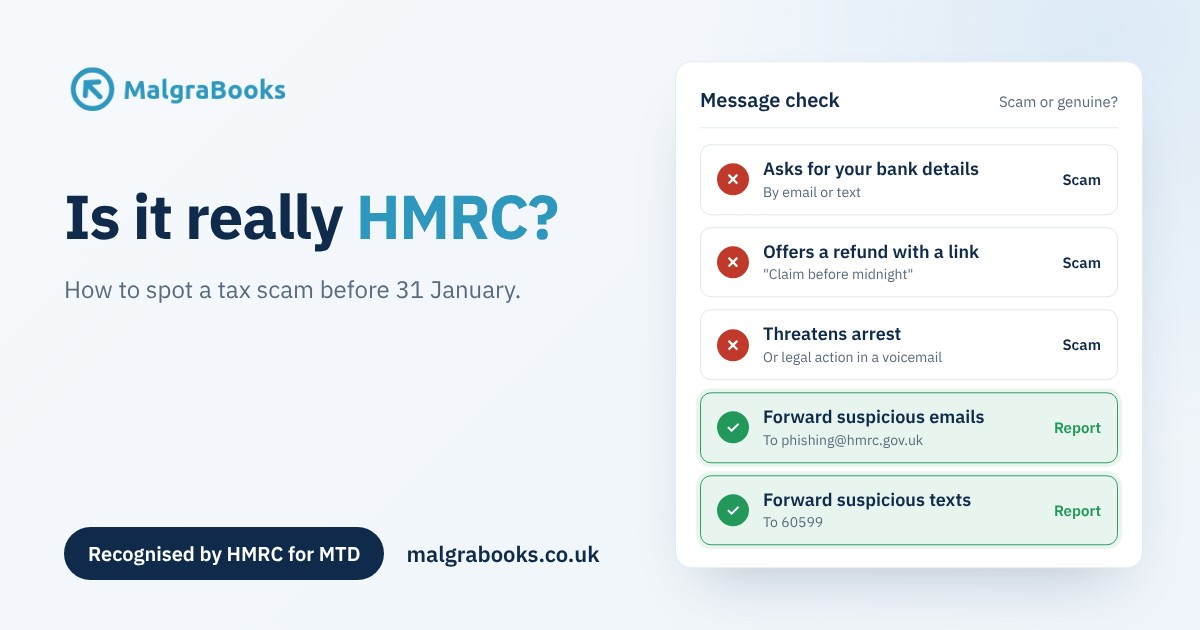
With the 31 January tax return deadline getting closer, more people are expecting to hear from HMRC. Fraudsters know this. They send emails, texts and calls that look like they come from HMRC, hoping you’ll click a link or hand over your bank details before you’ve had time to think.
It’s happening a lot. HMRC told the BBC it received 95,340 reports of suspected scams in the year to the end of October. Here’s how to tell what’s real, what to do if you’re not sure, and how to report a scam.
The quick check
HMRC’s own checklist says a call, text, email or social media message could be a scam if it:
- rushes you
- is threatening
- is unexpected
- asks for personal information, like your bank details
- tells you to transfer money
- offers a refund, tax rebate or grant
If a message ticks even one of these, stop and check before you do anything.
What HMRC will never do
- Ask for personal or financial information by email or text. If a message asks for your bank details, card number or HMRC password, it isn’t from HMRC.
- Send you a link to claim a refund. HMRC may sometimes email or text about a refund, for example if you haven’t replied to a letter, but those messages have no links and never ask for your details.
- Threaten you on the phone. HMRC will never leave a voicemail threatening legal action, and it will never threaten to have you arrested.
- Ask you to pay with gift or payment vouchers. Ever.
- Use social media to offer a rebate or ask for personal or financial information.
But HMRC does sometimes get in touch
Not every message is a scam, which is what makes this tricky. HMRC does send some texts, such as to confirm it has received a form, and they can include a link to GOV.UK. It sends some emails, like the one saying your Annual Tax Summary is ready. And it may call or leave a voicemail from 0300 200 3884.
HMRC keeps lists of the messages it’s currently sending, so you can check one you’ve received:
- Check if an email from HMRC is genuine
- Check if a text message from HMRC is genuine
- Check if a phone call from HMRC is genuine
How to check safely
The golden rule is to never use the link or phone number in a message you’re unsure about. Instead:
- go to GOV.UK yourself and sign in to your HMRC online account. Anything genuine, such as a refund, a bill or a message, will be there
- if you need to speak to HMRC, find the number on GOV.UK. Our guide on how to contact HMRC can help
- if you think you might be due a refund, our guide to tax overpayments and refunds explains how to check and claim it safely
How to report a scam
HMRC’s chief security officer, Lucy Pike, has urged everyone to report anything suspicious, because every report helps HMRC get scams taken down. It only takes a minute:
- Emails: forward them to [email protected], then delete them.
- Texts: forward them to 60599 (your network’s usual charge applies), then delete them.
- Phone calls: use HMRC’s online service to report a suspicious HMRC phone call.
- Social media accounts: email the account name and the platform to [email protected].
If you’ve already given your details to a scammer, you can report it to HMRC’s security team. If you’ve lost money, report it to your bank straight away, and to Report Fraud (it used to be called Action Fraud), or Police Scotland on 101 if you live in Scotland.
Keep your HMRC sign in details to yourself
HMRC says you should never share your HMRC sign in details with anyone, including a tax agent. Treat them like your bank details.
That’s how Pulse works too. When you connect Pulse to HMRC for Making Tax Digital, you sign in on HMRC’s own website, not in Pulse. HMRC then lets Pulse send your updates, but your user ID and password never come to us. So if anyone ever asks you for your HMRC password, even if they say they’re from MalgraBooks, don’t give it to them.
When HMRC accepts an MTD update you’ve sent from Pulse, you’ll get a confirmation email from us showing what was sent and HMRC’s reference. If you ever get an email about Pulse or MalgraBooks that doesn’t look right, don’t click anything. Log in to Pulse yourself, or get in touch through our contact form and we’ll check it for you.
One less thing to worry about in January
The best protection is knowing where you stand. With your income and expenses in Pulse, on your phone or computer, you know roughly what your tax will be, so a surprise “refund” or “unpaid tax” message is much easier to spot. And on packages that include it, Pulse can submit your tax return to HMRC for you.
Not with MalgraBooks yet? Find your trade to see how Pulse works for you, or view our packages.
