
“How much tax am I going to owe?”
It’s the question we hear most, and usually in December, when there’s not much time left to do anything about it.
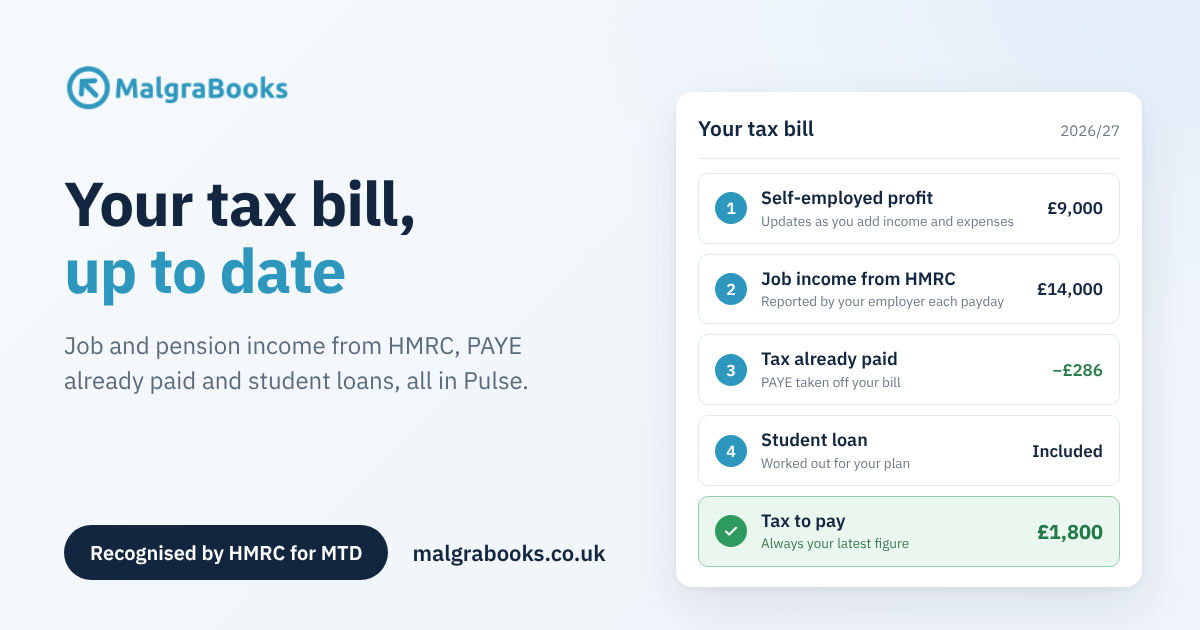
Pulse has always given you a tax estimate based on your bookkeeping. Now it goes further. Your estimate pulls in your job, pension and State Pension income straight from HMRC, takes off the tax you’ve already paid, and works out your student loan too.
So whenever you log in, you can see your latest, up-to-date tax bill for the year, not just a rough idea.
-> To view your estimate, head to your Pulse dashboard and click Tax Calculation in the Profit and Tax section!
What goes into your tax bill
Your estimate is built from everything that makes up your bill:
- Your self-employed profit, updated as you add income and expenses in Pulse.
- Your pay from any jobs. Employers report this to HMRC every payday, through a system called Real Time Information (RTI), and Pulse fetches it for you.
- Pensions and State Pension that HMRC holds for you.
- Tax already taken through PAYE, which comes off what you owe.
- Your student loan, if you’re repaying one.
Put together, that’s the figure you’ll actually be asked to pay by 31 January, kept up to date as the year goes on.
Why your other income makes a difference
Your tax-free Personal Allowance (£12,570) only gets used once, however many incomes you have. If your job uses it up, all of your self-employed profit is taxed. That’s easy to miss if you’re only looking at your business figures.
For example – Jo is a hairdresser. She works part-time in a salon, earning £14,000 a year, and does mobile appointments on her days off, making a profit of £9,000.
On its own, £9,000 of profit is under the Personal Allowance, so it looks like there’s no tax to pay. But her salon job has already used most of her allowance. Once Pulse adds in her pay from HMRC, her tax bill shows about £1,800 to pay on her mobile work. She can start putting money aside now, rather than getting a surprise in January.
Student loan included
If you’re repaying a student loan, your self-employed profit counts towards it. Your employer only takes repayments from your wages, so anything else that’s due gets added to your tax bill.
Sam is on Plan 2. He earns £20,000 from a part-time job, which is under the £29,385 threshold, so nothing comes out of his pay. He also makes £15,000 profit as a self-employed gardener.
Together that’s £35,000, which is £5,615 over the threshold. At 9%, that’s £505 of student loan due with his tax. Pulse shows a Total to pay by 31 January that includes both, so there’s nothing hidden.
Just tick your plan in the Student loan box on your tax report (Plan 1, 2, 4, 5 or Postgraduate Loan). If HMRC’s records show student loan coming out of your pay and you haven’t told us your plan yet, Pulse will ask.
And if you’ve paid too much?
If you’ve left a job, been on the wrong tax code or had a one-off payment taxed at a high rate, PAYE might have taken more than you owe for the year.
Pulse will show an Estimated refund due instead of tax to pay. HMRC repays it once your tax return has been processed.
Keeping it up to date
- Your self-employed profit updates as soon as you add income or expenses.
- Your income from HMRC refreshes regularly, and you can refresh it yourself from HMRC Income Records whenever you like.
- For the current tax year, job and pension income shows as “paid so far” and grows each payday. On your tax estimate, jobs you’re still in are carried forward to the end of the year, so you can see roughly where you’ll land.
Where to check your tax bill
- Estimated Tax Calculations in Pulse shows the full breakdown: income, allowances, tax, National Insurance, PAYE already paid, student loan and what’s left to pay.
- Your dashboard shows your estimated tax due at a glance.
- In the Pulse app, open your Tax Report from the menu.
Who can use the HMRC income feed?
HMRC only shares these records with software when you’re signed up for Making Tax Digital for Income Tax and connected to HMRC in Pulse. If you’re not, Pulse will use any income records our team holds for you instead. Your bookkeeping and student loan are included either way.
Want the step-by-step version? Our support guide, Reports – SA302 Tax Calculation, walks through the whole report.
Questions?
If something doesn’t look right, or you’re not sure what a figure means, get in touch through our contact form and our team will take a look.
Not with MalgraBooks yet?
Pulse is bookkeeping and Making Tax Digital software for sole traders, recognised by HMRC. It works for most self-employed people, not just Slimming World consultants.
Find your trade to see how it works for you, or view our packages.
