
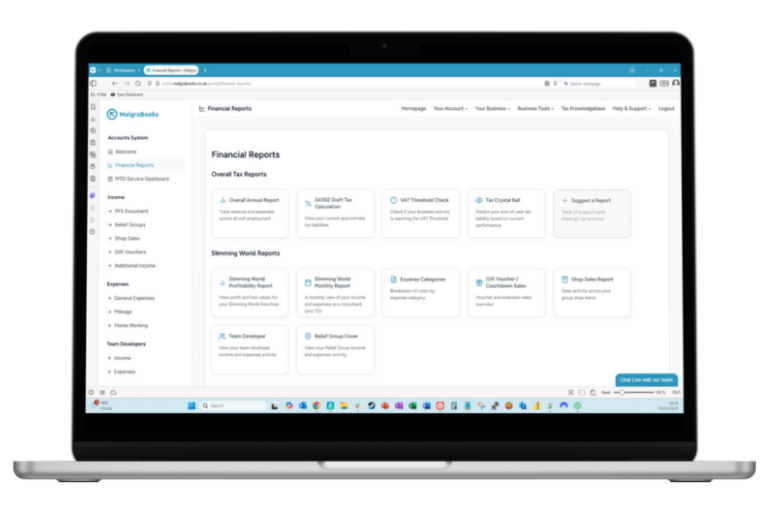
We’ve just released Pulse 1.76, and it’s a big one for anyone with a second self employed role alongside their Slimming World work, and also for our Small Business members.
If you send invoices from your Self Employed Ledgers, you can now send quotes, set up invoices that repeat, and let customers pay you by card. There are also a few improvements for VAT members and Weekly Franchise Accounts, and Pulse is now available in Welsh.
Here’s a quick look at what’s changed.
Mae Pulse nawr yn siarad Cymraeg – Pulse now speaks Welsh!
You can now use Pulse in Welsh. Head to your Settings page, change the language to Welsh, and save. You can switch back to English at any time from the same place.
Quotes
You can now send a quote before you start a job. Say you’ve been asked to price up a set of garden planters for a local café. Create a quote for £480, email it from Pulse, and mark it as accepted when they say yes. One click then turns it into an invoice, with all the details carried across, so there’s nothing to type in twice.
Quotes have their own screen and their own numbers, and Pulse shows you which ones are still waiting for an answer or have expired.
Recurring invoices
If you invoice the same customer regularly, for example £250 a month for admin support, Pulse can now create those invoices for you on a schedule. You choose how often (weekly, monthly, quarterly and more) and whether each one is sent to your customer automatically or saved as a draft for you to check first.
You can pause, skip or stop a schedule at any time, and add the month to each invoice automatically, so “Admin support – {month}” becomes “Admin support – November” on the November invoice.
Read the Recurring Invoices article
Pay online
Getting paid just got easier. Add your payment link from Stripe, SumUp or PayPal.Me in your Invoice Settings, and a Pay online button appears on your invoices and invoice emails. Your customer can pay by card there and then, and the money goes straight to your own account.
If a customer pays part of an invoice, you can now record that too. Pulse keeps track of what’s still owed and adds each payment to your income for you.
A new dashboard for your self employed roles
The Self Employed Ledgers dashboard has had a refresh. You can see your income, expenses and profit month by month, switch between businesses if you have more than one, and flip the chart to compare this year with last year or see where your money is going by category.
There’s also a box showing any invoices still waiting to be paid, and which ones are overdue.
Weekly Franchise Accounts: faster bulk uploads
If you run more than one group, this one’s for you. When you bulk upload your Weekly Franchise Accounts, Pulse now reads the group code on each PDF and matches it to the right group for you. There’s no need to pick a group first, and you can upload PDFs for different groups in one go, up to five at a time.
Say you run groups on Monday and Thursday. Drop both weeks’ PDFs in together, and Pulse puts each one under the right group, ready for you to check the figures and save.
Pulse also keeps an eye out for mistakes:
- If the group on a PDF isn’t one of your groups yet, it tells you, so you can add it in Manage Groups or choose the group yourself.
- If you’ve already entered that week for that group, you’ll see a warning before anything is overwritten.
- If the same PDF has been added twice, it’s flagged so you can remove one.
You’ll find Bulk Upload on your Weekly Franchise Accounts screen, including when you’re viewing all your groups.
Recurring expenses: easier to manage
Lots of consultants pay the same costs every month, like a phone contract, card machine rental or a storage unit. Set them up once as recurring expenses, and Pulse pops up the day after each one is paid, asking you to confirm it. So a phone bill set for the 26th comes up from the 27th, and your figures stay up to date through the month.
Nothing goes into your ledger without you saying so. Each payment is listed with its date and amount, so you can:
- change an amount if it was different that month
- untick anything that didn’t go out
- confirm the rest with one click
If you’ve been away for a while, Pulse catches up on the months you’ve missed. It also highlights any expense you’ve already added yourself, so nothing gets counted twice. Your recurring expenses are now listed in the order they’re paid through the month, like a bank statement, which makes them much easier to check.
Read the Recurring Expenses article
Smaller improvements and fixes
- Finding invoices: the invoice list now loads 10 at a time, with better search, sorting and filters by date, contact and status. There’s also a Due Date column, with overdue invoices shown in red.
- Invoice layout: we’ve tidied up the invoice template to remove extra line breaks, which were pushing some invoices onto a second page.
- VAT members: individual group listings are now available from the reports provided by Slimming World for your monthly VAT submissions. Pulse will enter these as the date of the group, not grouped by month on the Franchise Account viewer.
Have a look
All of these are live in Pulse now, so log in and take a look. If you have any questions or ideas for what we should build next, just get in touch through our contact form – we’d love to hear from you.
Not with MalgraBooks yet? View our packages to find the right one for you.
